Introduction to Blooket
Blooket is an online educational platform that combines learning activities with interactive games. It allows teachers and students to participate in quizzes, answer questions, and practice different subjects through entertaining challenges. Instead of relying only on traditional worksheets and textbooks, Blooket introduces a more engaging approach to learning by combining educational content with competition and rewards.
The platform is designed for teachers, students, schools, and independent learners who want to make studying more enjoyable. Users can explore existing question sets, create customized quizzes, and participate in different game modes. Blooket supports a variety of subjects, including mathematics, science, history, vocabulary, and language learning.
Its colorful interface, virtual characters, and competitive features help encourage participation. Teachers can use Blooket to review lessons, check students’ understanding, and make classroom activities more interactive.
What Is Blooket?
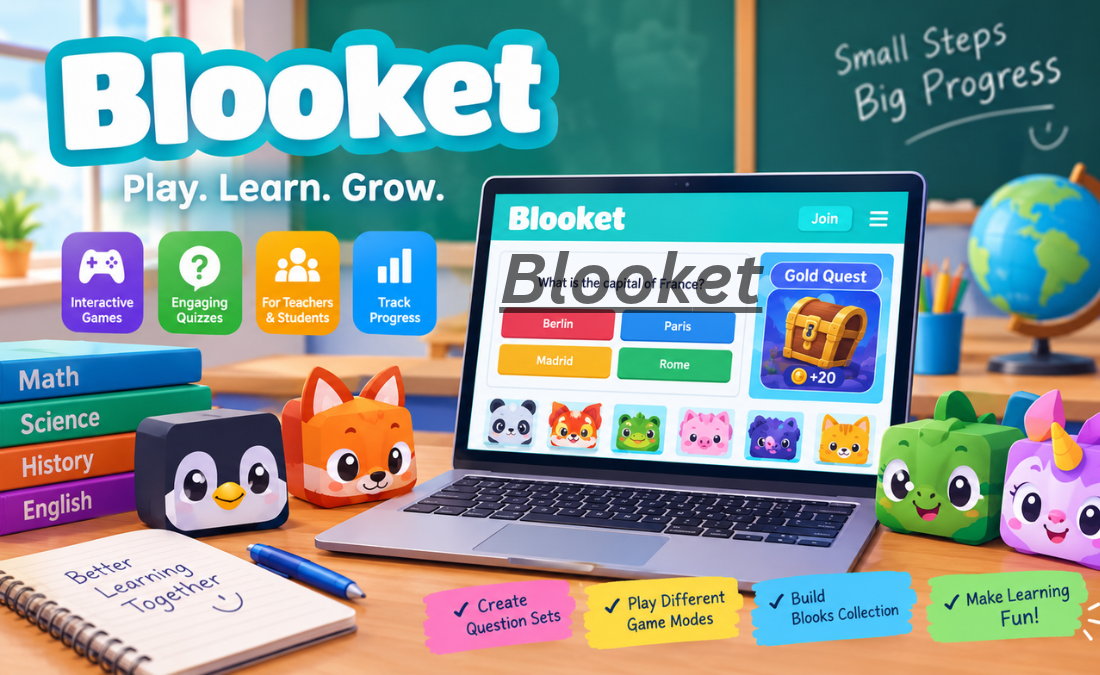
Blooket is a browser-based educational gaming platform that transforms quizzes into interactive experiences. Teachers can prepare questions and answers, select a game mode, and invite students to participate. Students answer questions while playing games that reward correct responses and encourage continued participation.
One of the platform’s distinctive features is its collection of virtual characters, known as Blooks. These characters appear throughout the gaming experience and can be collected as part of the platform’s reward system.
Blooket can be used for classroom instruction, homework, revision, and independent practice. Its flexible format makes it suitable for different learning environments, although the educational experience depends on the quality of the questions and how the activities are organized.
How Does Blooket Work?
Using Blooket is relatively straightforward. Teachers begin by selecting an existing question set or creating a new one. A question set contains questions and their corresponding answers, which can be customized according to a lesson or subject.
After selecting a question set, the teacher chooses an available game mode and starts a session. Students can join a hosted game using the code provided by the teacher and follow the instructions displayed on their devices.
During gameplay, students answer questions while completing different challenges. Depending on the selected mode, they may collect rewards, compete against classmates, build virtual structures, or progress through a race.
Teachers can also assign certain activities for independent practice. After students complete their work, available reports can help educators evaluate performance and identify topics that may require additional explanation.
Popular Blooket Game Modes
Blooket offers several game modes that provide different experiences.
Classic
Classic is a competitive quiz mode in which students answer questions and earn points. It is useful for reviewing lessons, practicing important concepts, and organizing short classroom competitions.
Gold Quest
Gold Quest introduces treasure chests and virtual gold into the learning experience. Players answer questions to earn opportunities to collect rewards. Because the contents of the chests can vary, the game includes an element of unpredictability.
Tower Defense
Tower Defense combines educational questions with strategic gameplay. Players answer questions and use in-game resources to build towers that defend against approaching enemies. This mode encourages students to combine subject knowledge with planning.
Racing
Racing turns question answering into a competition to reach the finish line. Correct answers help players advance through the game, making it suitable for quick revision sessions.
Cafe and Factory
Cafe allows players to answer questions while managing a virtual restaurant. Factory focuses on developing and upgrading virtual characters that generate in-game resources. Both modes combine educational practice with management and progression mechanics.
Other modes may include Battle Royale, Fishing Frenzy, Monster Brawl, and Crazy Kingdom. Available modes can change, and some features may depend on the subscription plan.
Main Features of Blooket
Blooket includes several tools that support interactive learning.
Question set creation: Teachers can create customized question sets based on their lessons and learning objectives.
Public question library: Users can discover existing question sets and adapt suitable material for educational activities.
Live multiplayer games: Teachers can host sessions in which students participate together and compete through quizzes.
Independent practice: Supported activities allow students to practice questions without necessarily joining a live classroom game.
Homework assignments: Teachers can assign certain games for students to complete outside the classroom.
Performance reports: Available reporting tools help teachers review student responses and understand their progress.
Blook collection: Virtual characters provide an additional reward system that encourages participation and gives students another aspect of the platform to explore.
Is Blooket Free?
Blooket offers a free Starter plan that provides access to core educational features. Users can discover question sets, create quizzes, and participate in supported games without necessarily purchasing a subscription.
The platform also offers paid Blooket Plus options with additional features for educators. Depending on the current plan, these may include enhanced reports, organizational tools, additional game options, and higher participant limits.
Teachers should review the official pricing information before choosing a subscription because features, limits, and prices may change over time. For many basic classroom activities, the free plan can be a practical starting point.
Benefits of Using Blooket
One of Blooket’s main advantages is its ability to make revision more engaging. Students who find conventional quizzes repetitive may respond positively to activities that include competition, rewards, and interactive challenges.
The platform also encourages repeated practice. Students can answer questions multiple times, helping reinforce concepts and identify areas where they need further study.
For teachers, Blooket provides a flexible way to review lessons and assess understanding. Question sets can be adapted to different topics, and available reports can help identify common mistakes.
Another advantage is its accessibility. Because Blooket operates through a web browser, users can access supported activities on compatible computers, tablets, and other devices without needing a dedicated gaming console.
However, Blooket should support rather than replace effective teaching. Students still benefit from explanations, discussions, reading, writing, and other activities that develop deeper understanding.
Is Blooket Safe for Students?
Blooket provides a privacy policy describing how it handles information associated with its services. Teachers, parents, and schools should review the platform’s current privacy information and follow appropriate digital safety practices.
Students should avoid including personal information in public usernames and should never share passwords or sensitive details during games. Teachers can help maintain a positive environment by establishing classroom rules and monitoring participation.
As with other online platforms, families and educators should consider age appropriateness, screen time, and the suitability of activities for their students.
How to Join a Blooket Game
Joining a Blooket game generally involves a few simple steps.
First, visit the official Blooket website using a compatible browser. Next, open the game-joining option and enter the code provided by the teacher or host. Follow the instructions to enter an appropriate nickname, then join the session.
Once the game begins, read the questions carefully and follow the instructions for the selected mode. Students should focus on answering accurately rather than treating speed or competition as the only measure of success.
Frequently Asked Questions
1. What is Blooket mainly used for?
Blooket is primarily used for educational quizzes, classroom revision, homework, and independent practice. It helps teachers make learning activities more interactive.
2. Is Blooket free to use?
Yes, Blooket offers a free Starter plan with core features. Paid plans provide additional tools and expanded capabilities.
3. Can students play Blooket without a teacher?
Students can use supported solo activities for independent practice. Live multiplayer sessions generally require a host to organize and start the game.
4. Can Blooket be used on mobile devices?
Blooket is browser-based and can be accessed on compatible mobile devices, tablets, and computers. The experience may vary depending on the browser and device.
5. What are Blooks in Blooket?
Blooks are virtual characters used within the platform. Players can collect them as part of the gaming experience, adding a collection and reward element to educational activities.
Conclusion
Blooket is an interactive educational platform that combines quizzes, virtual rewards, and different game modes to make learning more engaging. Its features support classroom revision, independent study, homework, and customized educational activities. Teachers can create question sets, organize games, and use available reports to better understand student performance.
Although Blooket makes studying more entertaining, its greatest benefit comes when games are connected to clear educational objectives. By combining interactive practice with effective teaching methods, educators can use Blooket to encourage participation, reinforce knowledge, and create a more enjoyable learning environment.