
Introduction
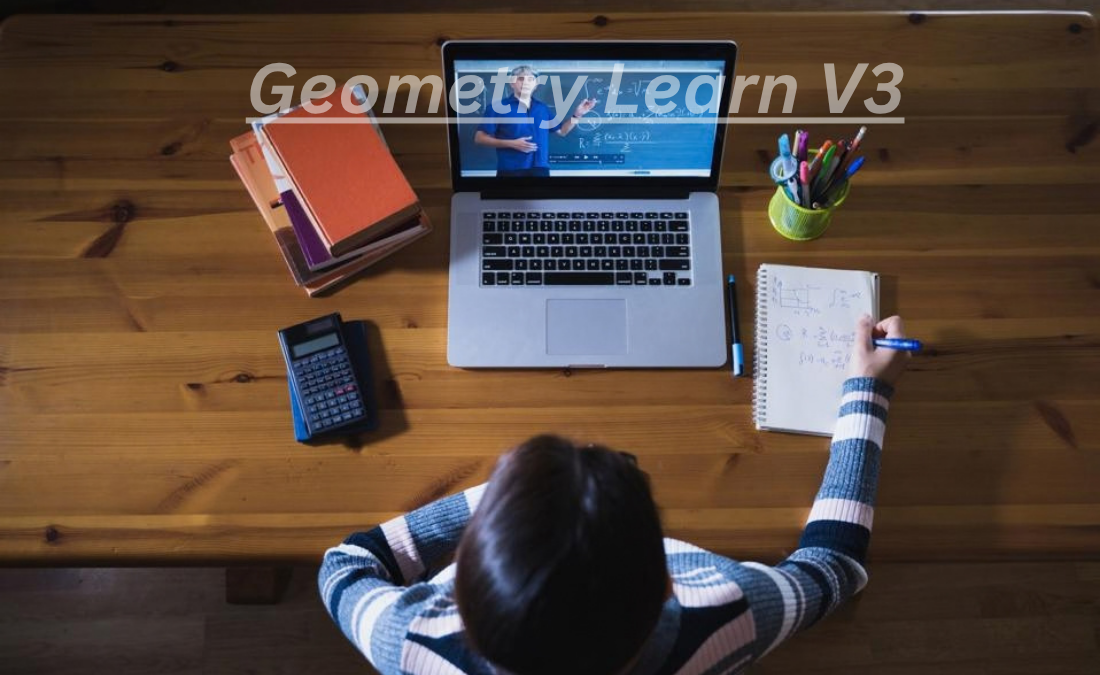
Geometry Learn V3 is a web-based project that has attracted attention because of its unusual combination of educational terminology, browser-based tools, games, and interactive online features. The name suggests a dedicated platform for learning geometry, but information available online presents a more complicated picture. Some third-party descriptions portray Geometry Learn V3 as an interactive mathematics resource covering subjects such as shapes, angles, measurements, transformations, and spatial reasoning. Meanwhile, the publicly accessible GL Series website appears to function more broadly as a browser portal containing games, applications, extras, settings, and search functionality.
This difference between the site’s visible structure and some descriptions published elsewhere makes Geometry Learn V3 an interesting subject to investigate. Rather than assuming that every description found online is accurate, it is useful to examine what the project appears to be, what educational topics are associated with it, and how users might understand its purpose.
What Is Geometry Learn V3?
Geometry Learn V3 is associated with the GL Series, a browser-based web project. Its publicly accessible version is presented as V3, indicating a third version or stage of the project.
The project is hosted through a Neocities website, which means it belongs to the wider ecosystem of independently created websites and web projects hosted on the platform. The site also contains a search function identified as Beta Search, showing that search and navigation are part of its online structure.
The name “Geometry Learn” naturally creates the expectation of an educational mathematics website. However, the site’s visible structure does not appear to be limited to conventional geometry lessons. Instead, it includes broader browser-oriented elements, making the project somewhat different from a traditional online classroom.
This distinction is important because many descriptions of Geometry Learn V3 found across the web appear to focus heavily on its educational interpretation.
The GL Series Connection
One of the clearest aspects of Geometry Learn V3 is its connection with the GL Series. The project is not simply presented as an isolated geometry worksheet or textbook. It appears to be part of a broader web-based series.
The use of the “V3” designation suggests that the project has gone through earlier versions. Version-based naming is common among independent web projects because developers can introduce new interfaces, features, games, applications, or technical improvements without completely changing the project’s identity.
For visitors, this means that Geometry Learn V3 can be understood as a particular version of an evolving online project rather than a static mathematics resource.
Browser-Based Accessibility
One of the main characteristics of Geometry Learn V3 is its browser-based nature. Users can access web projects of this type through a compatible internet browser rather than installing a conventional desktop mathematics program.
Browser-based educational resources can be useful because they reduce technical requirements. A student does not necessarily need specialized software to explore the available content. This approach can also make experimental projects easier to update because changes can be made directly to the website.
The experience, however, depends on how the website itself is maintained and what features are currently available. Independent web projects can change over time, so information describing an older version may not always correspond exactly to the current interface.
Geometry and Mathematical Learning
Although the public site has a broader structure, the Geometry Learn V3 keyword is frequently associated with mathematics and geometry.
Geometry is the branch of mathematics concerned with shapes, space, dimensions, measurements, and relationships between objects. A digital geometry resource can introduce these concepts through diagrams, interactive exercises, visual examples, and problem-solving activities.
Topics commonly associated with descriptions of Geometry Learn V3 include points, lines, angles, triangles, quadrilaterals, polygons, circles, area, perimeter, transformations, and spatial reasoning.
These topics represent many of the fundamental areas students encounter while studying geometry.
Points, Lines, and Planes
Basic geometry normally begins with simple concepts such as points, lines, and planes.
A point represents a specific position. A line extends in two directions and can be used to describe relationships between locations. A plane represents a flat two-dimensional surface.
Understanding these concepts provides the foundation for more advanced geometric ideas. Students eventually use them when working with angles, shapes, coordinate systems, and geometric proofs.
An interactive website can make these concepts easier to visualize because digital diagrams can show relationships that may be harder to understand from text alone.
Angles and Their Relationships
Angles are another fundamental part of geometry.
An angle is formed when two rays meet at a common endpoint. Geometry courses commonly introduce different types of angles, including acute, right, obtuse, straight, and reflex angles.
Students may also learn about complementary and supplementary angles, adjacent angles, vertical angles, and relationships created by parallel lines.
Digital learning environments can support this subject by displaying diagrams and allowing users to observe how changing one part of a figure affects another.
Triangles and Quadrilaterals
Triangles are among the most important shapes in elementary and secondary geometry.
They can be classified according to their sides or angles. For example, students may encounter equilateral, isosceles, scalene, acute, right, and obtuse triangles.
Quadrilaterals are four-sided polygons. Squares, rectangles, parallelograms, rhombuses, and trapezoids are common examples.
Learning the properties of these shapes helps students understand perimeter, area, symmetry, angles, and geometric relationships.
Polygons and Circles
More advanced geometry introduces polygons with different numbers of sides. Students can investigate regular and irregular polygons and calculate properties such as perimeter and interior angles.
Circles introduce another major group of concepts. Important terms include radius, diameter, circumference, chord, arc, and center.
Circle calculations also introduce mathematical constants such as pi. Interactive diagrams can be particularly useful here because users can see how radius and diameter are connected.
Area, Perimeter, and Measurement
Measurement is another important part of geometry.
Perimeter describes the distance around a two-dimensional shape, while area measures the amount of two-dimensional space contained inside that shape.
Different figures require different formulas. For example, the area of a rectangle is calculated by multiplying its length by its width.
Geometry resources may also introduce surface area and volume when moving from two-dimensional shapes to three-dimensional objects.
These concepts are useful beyond the classroom because measurement appears in architecture, construction, engineering, design, manufacturing, and everyday planning.
Transformations and Spatial Reasoning
Geometry also involves transformations. Common transformations include translations, rotations, reflections, and dilations.
A translation moves a figure without changing its orientation. A rotation turns a figure around a fixed point. A reflection creates a mirror image, while a dilation changes the size of a figure according to a scale factor.
Spatial reasoning is closely connected with these concepts. It involves understanding how objects relate to one another in space.
Interactive digital environments can be particularly useful for this type of learning because movements and changes can be displayed visually.
The Website’s Broader Structure
One of the most interesting aspects of Geometry Learn V3 is that the publicly visible GL Series website appears broader than a conventional mathematics-learning platform.
Available descriptions of the site mention areas such as Games, Apps, Extras, and Settings. This structure makes the project resemble a browser portal or experimental web hub rather than a traditional educational website with chapters, lessons, quizzes, and course progression.
The presence of games can also change how visitors experience the site. Instead of simply reading educational material, users may encounter interactive or entertainment-oriented content.
For this reason, it is better to avoid describing Geometry Learn V3 as a conventional online geometry course without qualification.
Beta Search
Another identifiable feature associated with the project is its Beta Search functionality.
The search system is identified with a version number, which suggests that it is an actively developed or experimental component of the website.
Search functionality can be useful when a web project contains multiple pages, games, applications, or resources. Instead of navigating through menus manually, users can potentially use search to locate specific material.
The term “beta” also indicates that the feature may not represent a final or permanently fixed implementation.
Why Version Numbers Matter
The “V3” designation is important when researching the project because web content can change significantly between versions.
A description written about an earlier version may not accurately describe the current website. Similarly, a third-party article may describe features that were planned, previously available, or interpreted by the author rather than directly documented by the project’s creators.
For this reason, users researching Geometry Learn V3 should distinguish between information visible on the actual website and claims made by external articles.
Geometry Learn V3 and Interactive Education
Interactive learning can offer several advantages when studying geometry.
Geometry is inherently visual. Students often need to see relationships between points, lines, angles, and shapes rather than simply read definitions.
Digital tools can make this possible through diagrams, animations, interactive figures, games, and exercises. A learner can potentially experiment with geometric concepts and receive immediate visual feedback.
However, interactive features do not automatically make a resource a complete educational curriculum. Students may still need textbooks, teacher explanations, worked examples, and structured exercises for deeper study.
Potential Audience
The exact intended audience of Geometry Learn V3 is not completely clear from the publicly available information.
The geometry-related descriptions suggest that students interested in mathematics could find the subject matter relevant. Beginners studying fundamental geometry concepts may particularly benefit from visual explanations.
At the same time, the site’s broader game and application structure means that it may appeal to visitors looking for browser-based entertainment or experimentation rather than formal mathematics instruction.
Therefore, the best way to approach the project is to explore its current content and determine whether it matches a user’s particular learning requirements.
Geometry Learn V3 as a Web Project
Beyond mathematics, Geometry Learn V3 can also be viewed as an example of an independent web project.
The GL Series demonstrates how small browser-based projects can combine different types of content into one website. Games, applications, search tools, and other features can coexist within a single web environment.
This makes the project interesting even for users who are researching web development or independent internet projects.
Its version-based development also illustrates how web projects can evolve gradually rather than being released as a single finished product.
Important Considerations When Researching the Project
There is a noticeable difference between some third-party descriptions and what can be directly observed from the public website.
Some online articles describe Geometry Learn V3 as though it were a comprehensive educational platform. However, the public GL Series site provides evidence of a broader browser portal structure.
Consequently, readers should avoid treating every claim published about the project as official documentation.
The safest approach is to separate three categories of information: features directly visible on the project website, educational topics associated with the Geometry Learn V3 keyword, and interpretations made by third-party writers.
This distinction helps create a more accurate understanding of the project.
Benefits of Digital Geometry Resources
Digital geometry resources can complement traditional learning in several ways.
Visual representation can make abstract concepts easier to understand. Interactive exercises can encourage experimentation. Browser access can reduce installation requirements. Games can also make repetitive practice more engaging for some learners.
Geometry itself benefits strongly from visualization because many concepts involve spatial relationships that are difficult to represent using words alone.
Still, the quality of a digital resource depends on its content, accuracy, usability, and educational structure.
Conclusion
Geometry Learn V3 is a distinctive browser-based project associated with the GL Series. Its name and many online descriptions connect it with geometry education, including subjects such as angles, triangles, polygons, circles, measurement, transformations, and spatial reasoning.
At the same time, the publicly visible GL Series website appears to contain a broader collection of browser-based features, including games, applications, extras, settings, and a beta search system. This means that Geometry Learn V3 should not automatically be described as a conventional geometry course.
The difference between third-party descriptions and directly observable website features is an important part of understanding the project. For students, educators, and researchers, the most reliable approach is to examine the current website while treating unsupported descriptions with caution.
Ultimately, Geometry Learn V3 is best understood as an evolving web project connected with geometry-related learning and a broader browser-based environment. Its version-based structure, interactive possibilities, and association with mathematical topics make it an interesting example of how independent online projects can combine education, experimentation, and web-based entertainment.
Frequently Asked Questions
1. What is Geometry Learn V3?
Geometry Learn V3 is a browser-based project associated with the GL Series. It is commonly connected online with geometry and mathematical learning, although the publicly visible website has a broader structure that includes games, applications, extras, settings, and search functionality.
2. What geometry topics are associated with Geometry Learn V3?
Topics associated with the project include points, lines, angles, triangles, quadrilaterals, polygons, circles, area, perimeter, transformations, measurement, and spatial reasoning. These are standard areas of geometry, although not every topic should be assumed to be an officially documented feature of the current website.
3. Is Geometry Learn V3 a traditional online geometry course?
Not necessarily. Although many third-party descriptions present it as an educational geometry resource, the public GL Series website appears to have a wider browser-portal structure. Users should examine the current site to determine which educational resources are actually available.
4. What does V3 mean in Geometry Learn V3?
“V3” generally indicates version three of the project. Version numbers are commonly used by web developers to identify significant updates or stages in a project’s development. Features and interfaces can change between versions.
5. Can Geometry Learn V3 replace a geometry textbook or teacher?
It should not automatically be considered a replacement for structured mathematics instruction. Digital resources can provide visual examples, interactive experiences, and practice, but students may still benefit from textbooks, teachers, exercises, and other reliable educational materials.